
LAX Self-Pickup Guide
Follow these steps to take the shuttle from LAX to Airport Spectrum and complete your self-service vehicle pickup.
The first steps match the regular pickup flow. After arriving at Airport Spectrum, follow the remaining steps to collect your key and find your vehicle.
- 24-Hour Shuttle
- Live Location Available
- Get Off at Airport Spectrum
Go Up to Departures Level
After collecting your luggage, take an escalator or elevator from the Arrivals Level up to Ticketing / Check-in / Departures. The shuttle pickup area is outside on this upper level.
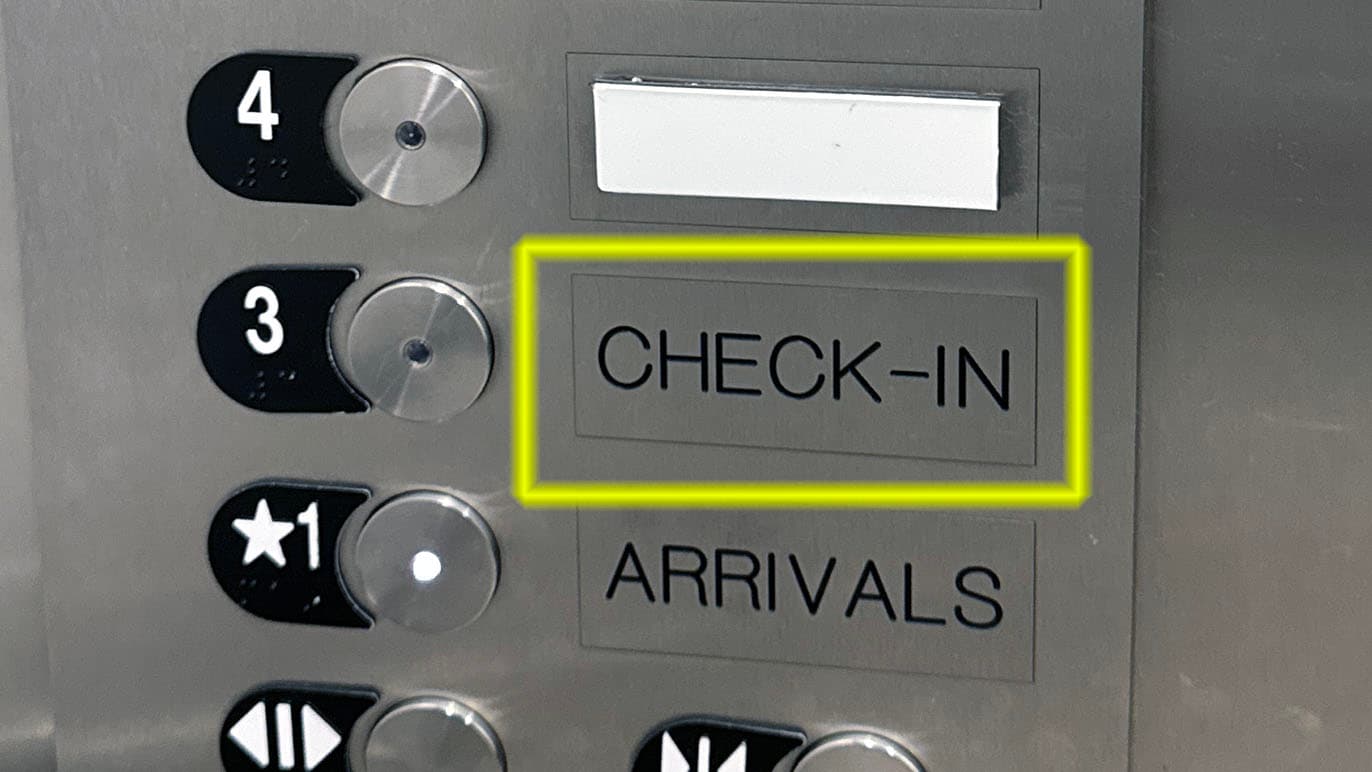
Find the Red Shuttle Sign
Walk outside to the curb and look for the red “Hotel & Private Parking Shuttle” sign.
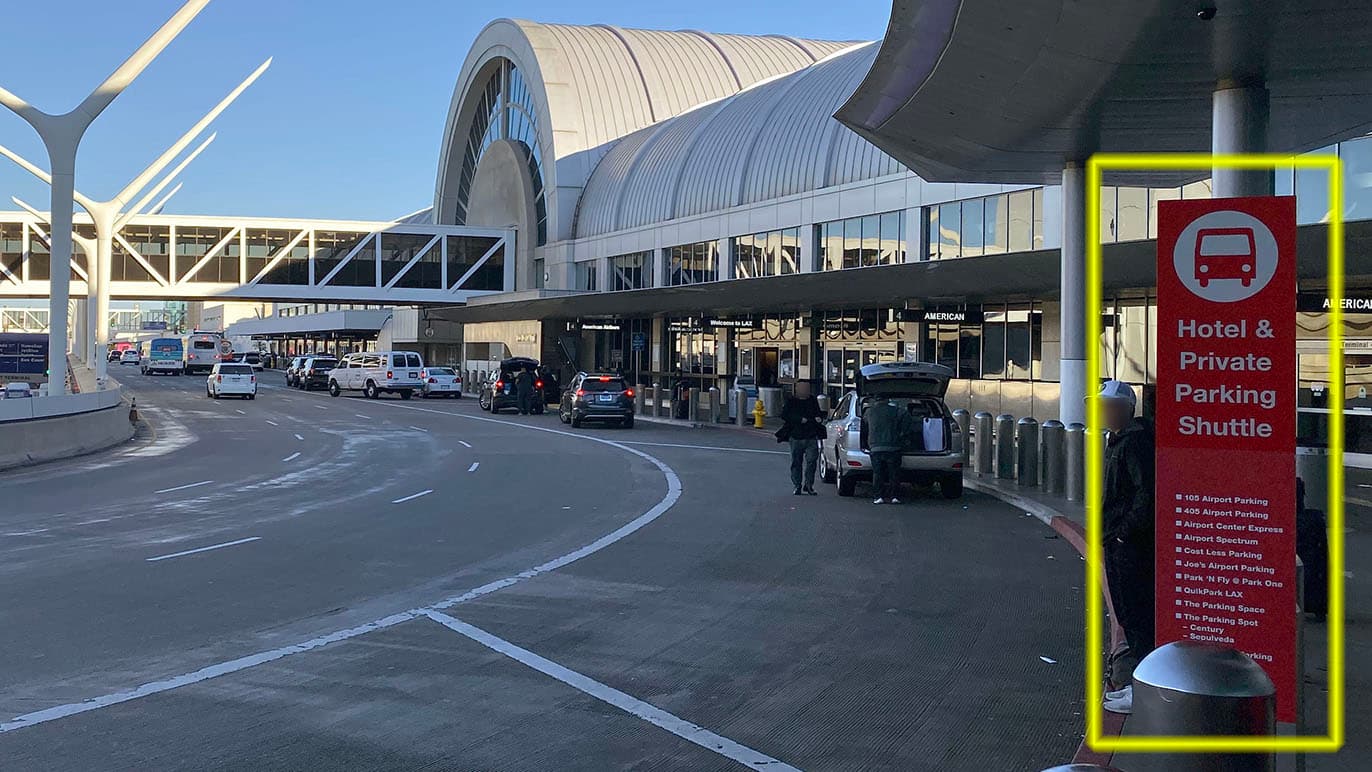
Find Your Terminal Pickup Stop
Each terminal has a red shuttle pickup point. Use the terminal diagram and follow the red curbside signs at the airport.
Terminal B passengers: after exiting onto the Departures Level, turn right toward the red shuttle stop.
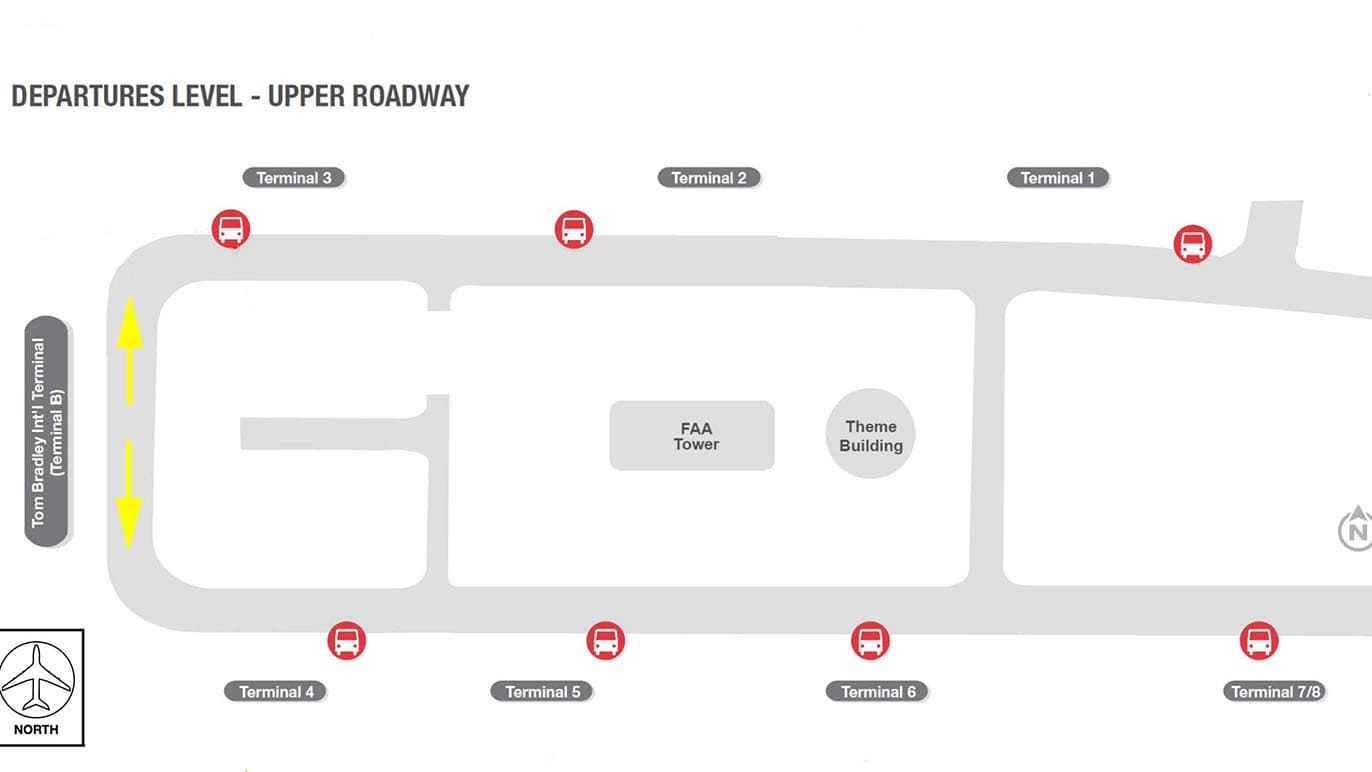
This is a simplified terminal-stop diagram. Follow the red curbside signs at the airport.
Track the Shuttle and Ride to Airport Spectrum
The shuttle operates 24 hours a day. Actual wait times may vary depending on airport traffic. Please open the live map to check the shuttle’s latest visible location.
Wait for and board the shuttle to Airport Spectrum. If the driver asks for your destination, simply say, “Airport Spectrum.” Luggage racks are available inside the shuttle.
Check the live map for the shuttle’s latest visible location. Actual arrival times may vary.
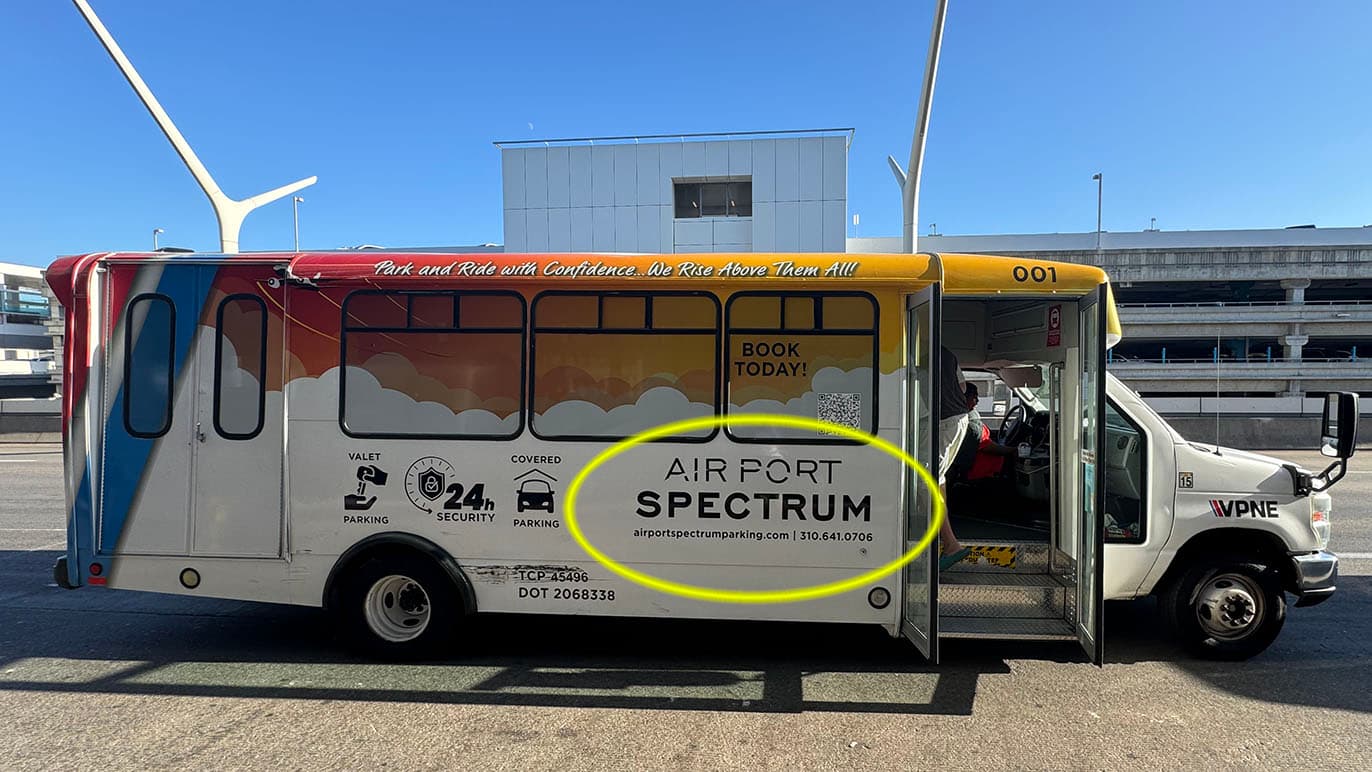
Get Off at Airport Spectrum
Get off at Airport Spectrum, 5757 W Century Blvd. The ride is usually about 10 minutes when traffic around the terminals is light.
Show this to the driver
Please let me know when we arrive at Airport Spectrum.
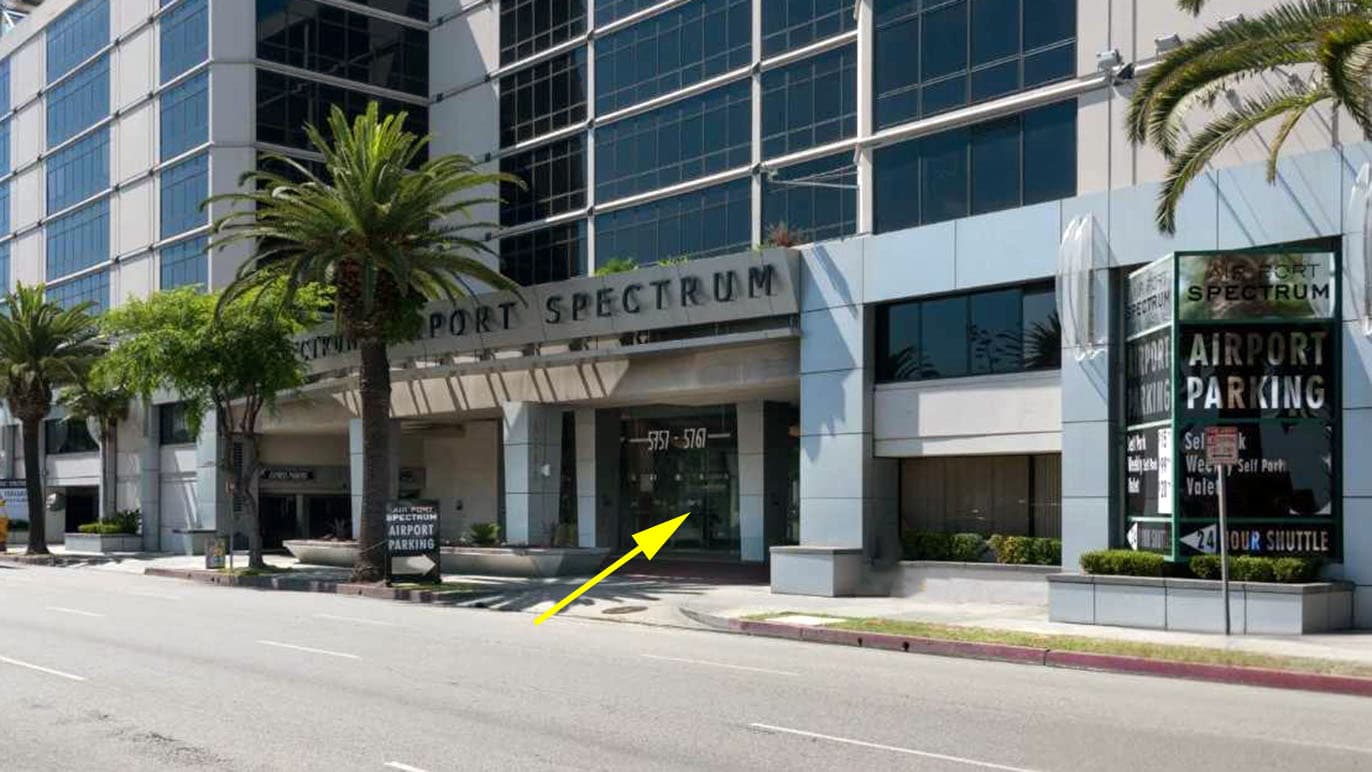
Enter the Building and Go to the Reach Rental Office
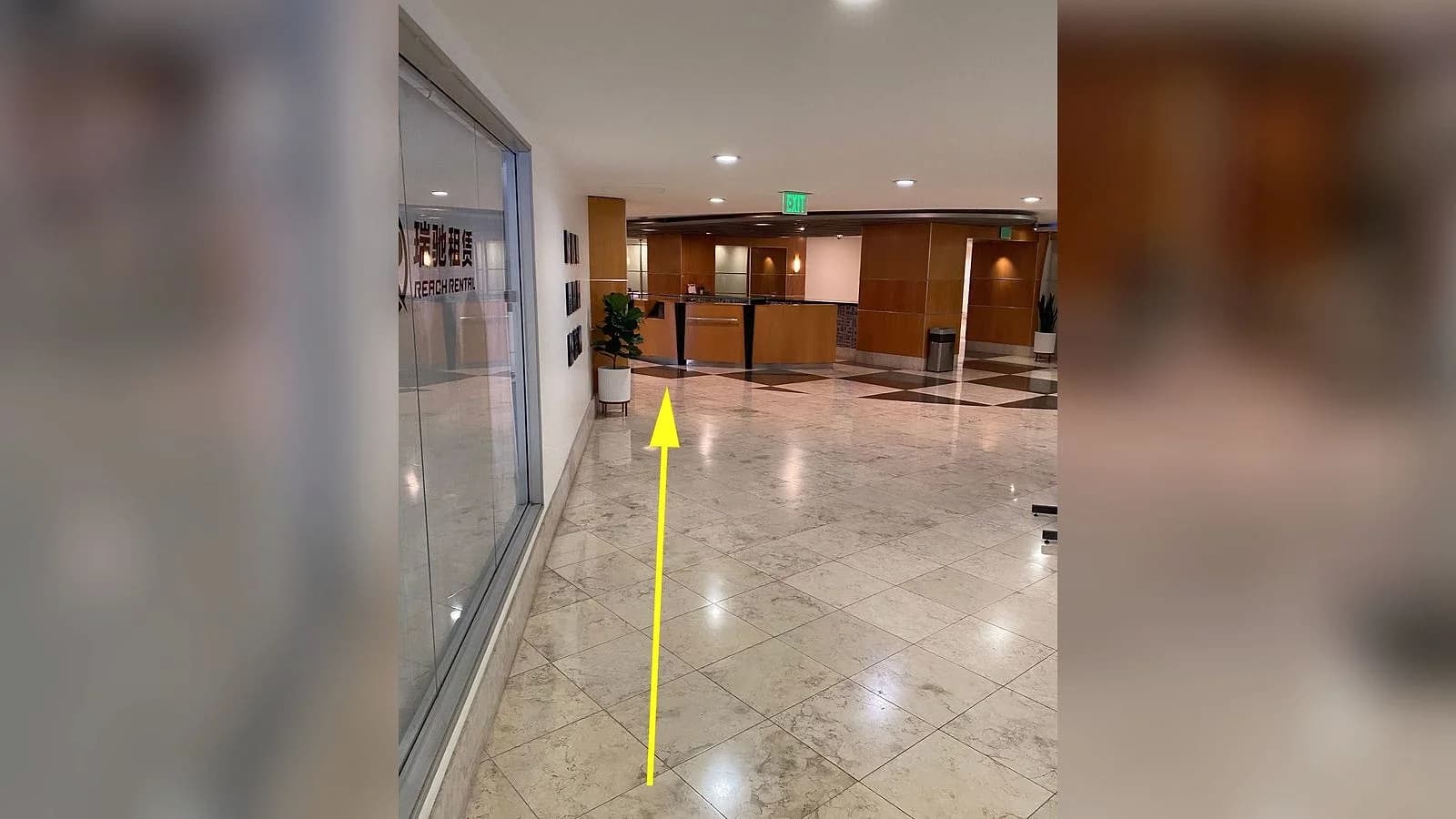
After getting off the shuttle, enter the first floor of the Airport Spectrum building. Walk through the lobby to the self-pickup lockbox at the Reach Rental office door.
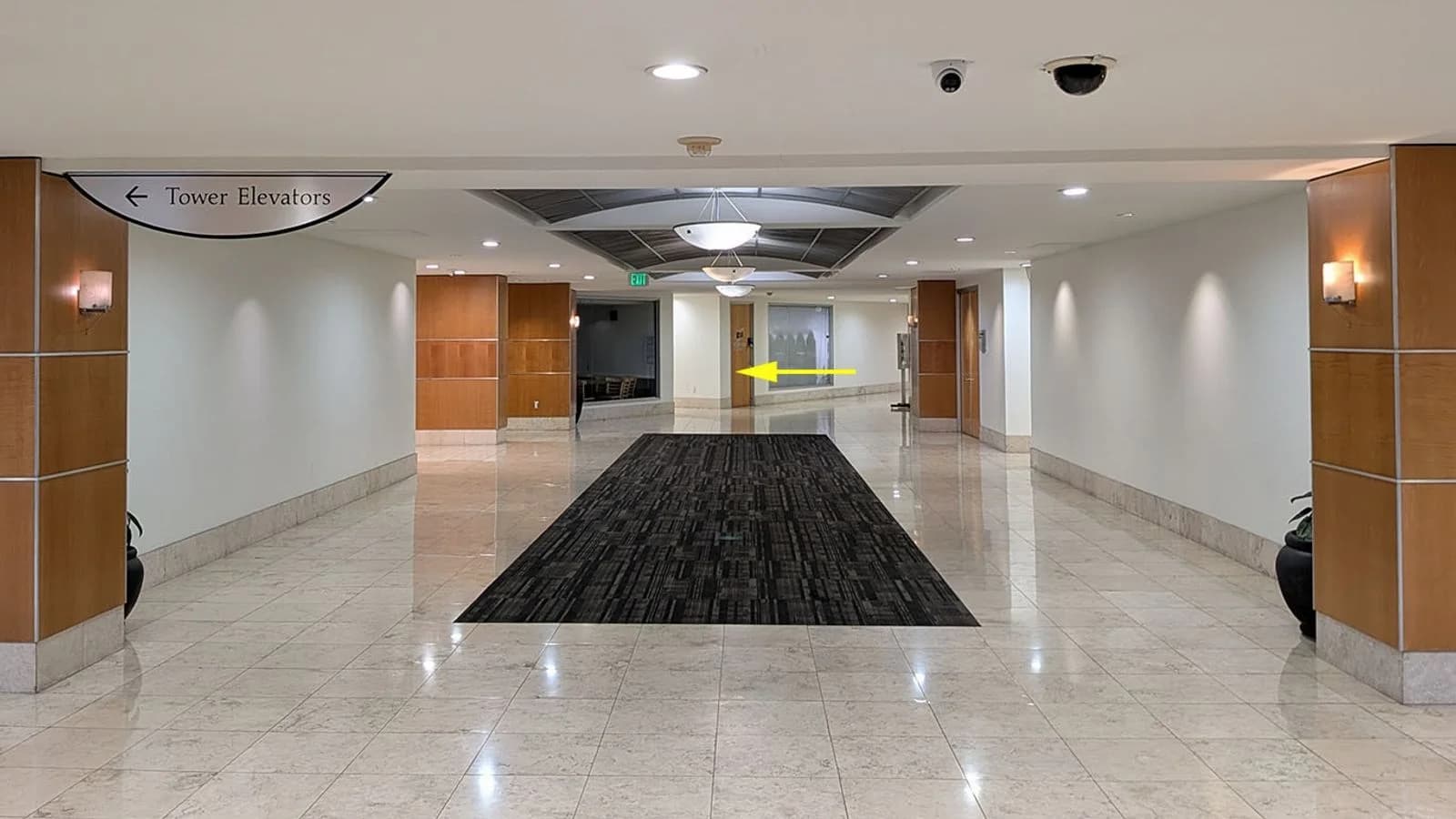
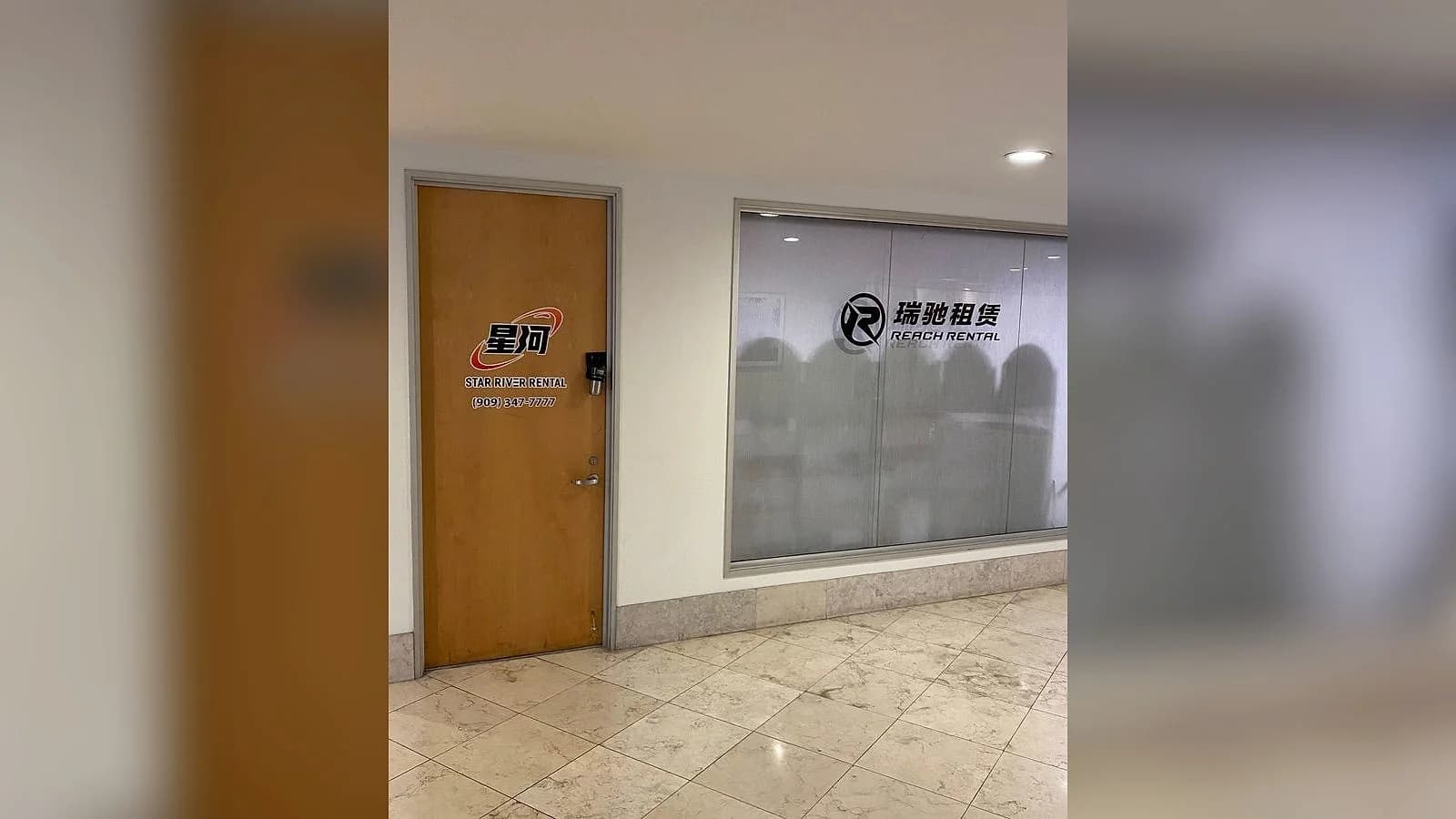
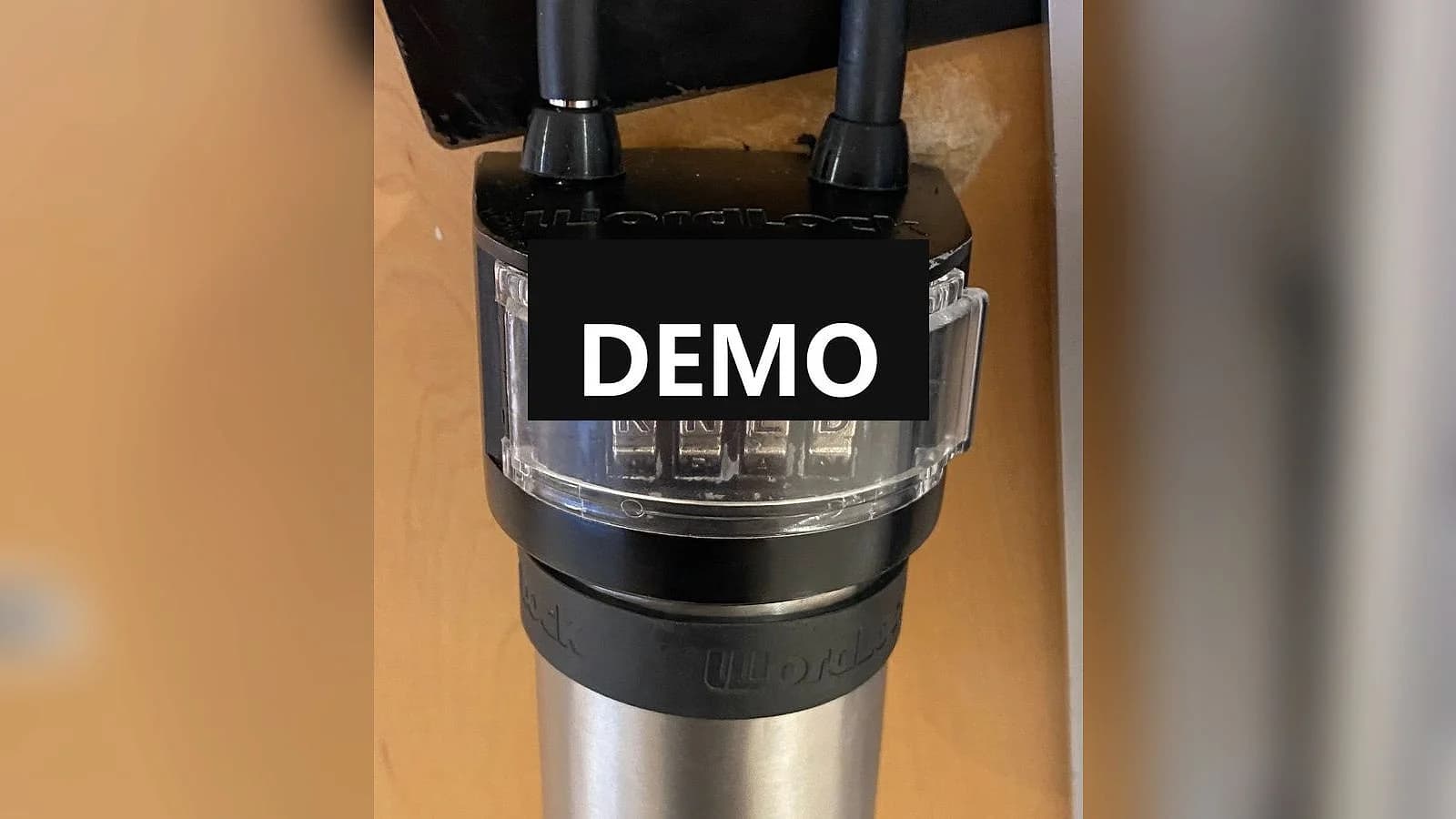
Open the Lockbox and Retrieve the Correct Key
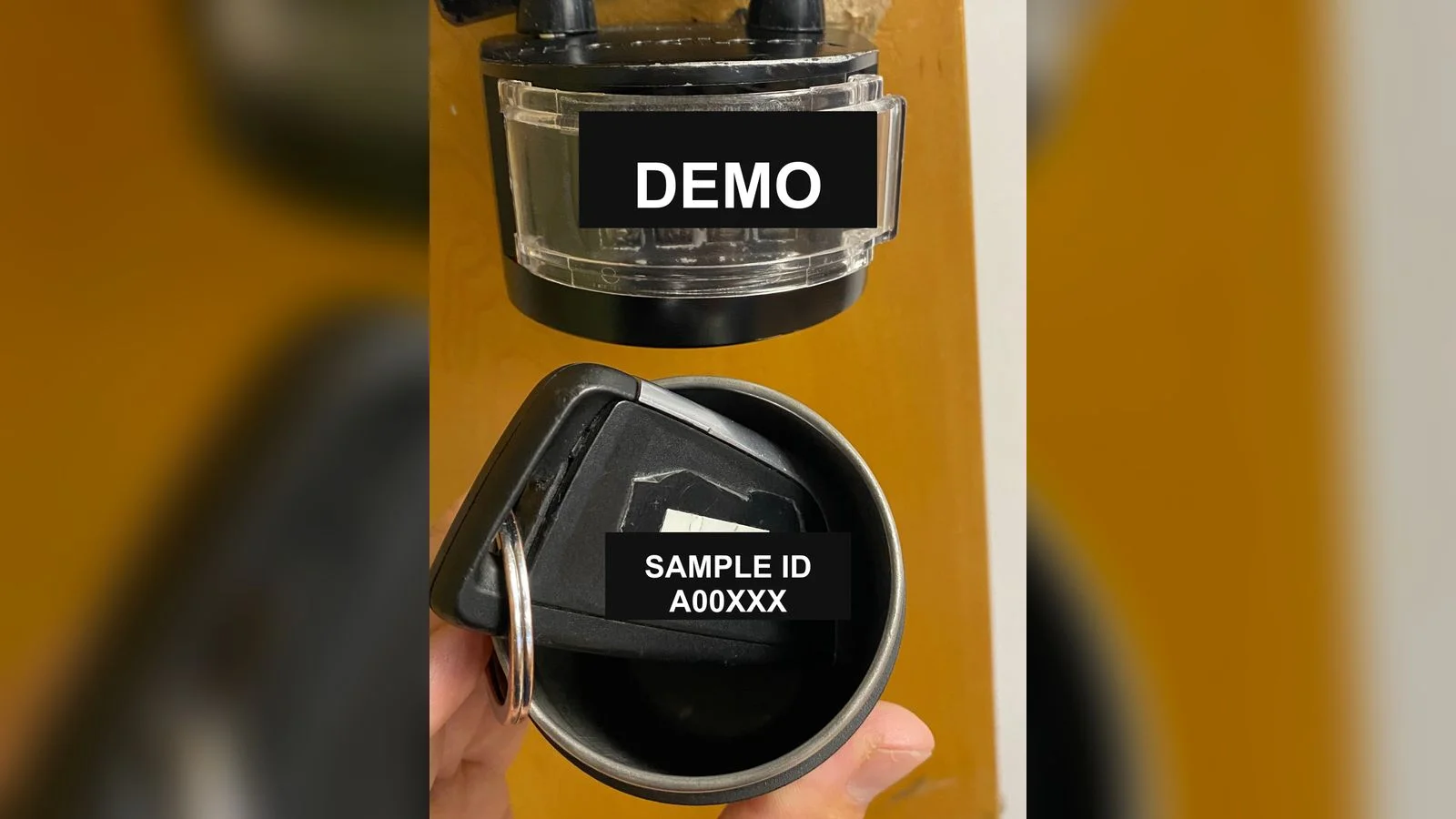
Enter the code provided by customer service and pull out the key compartment at the bottom of the lockbox. Check the number on the back of the key and make sure it matches the number sent by customer service before taking the key. After removing the key, push the compartment back into place and scramble the combination.
The “SAMPLE ID A00XXX” shown in the image is for illustration only. Your actual lockbox code and key number will be sent separately by customer service.
Proceed to the Parking Area and Find Your Vehicle
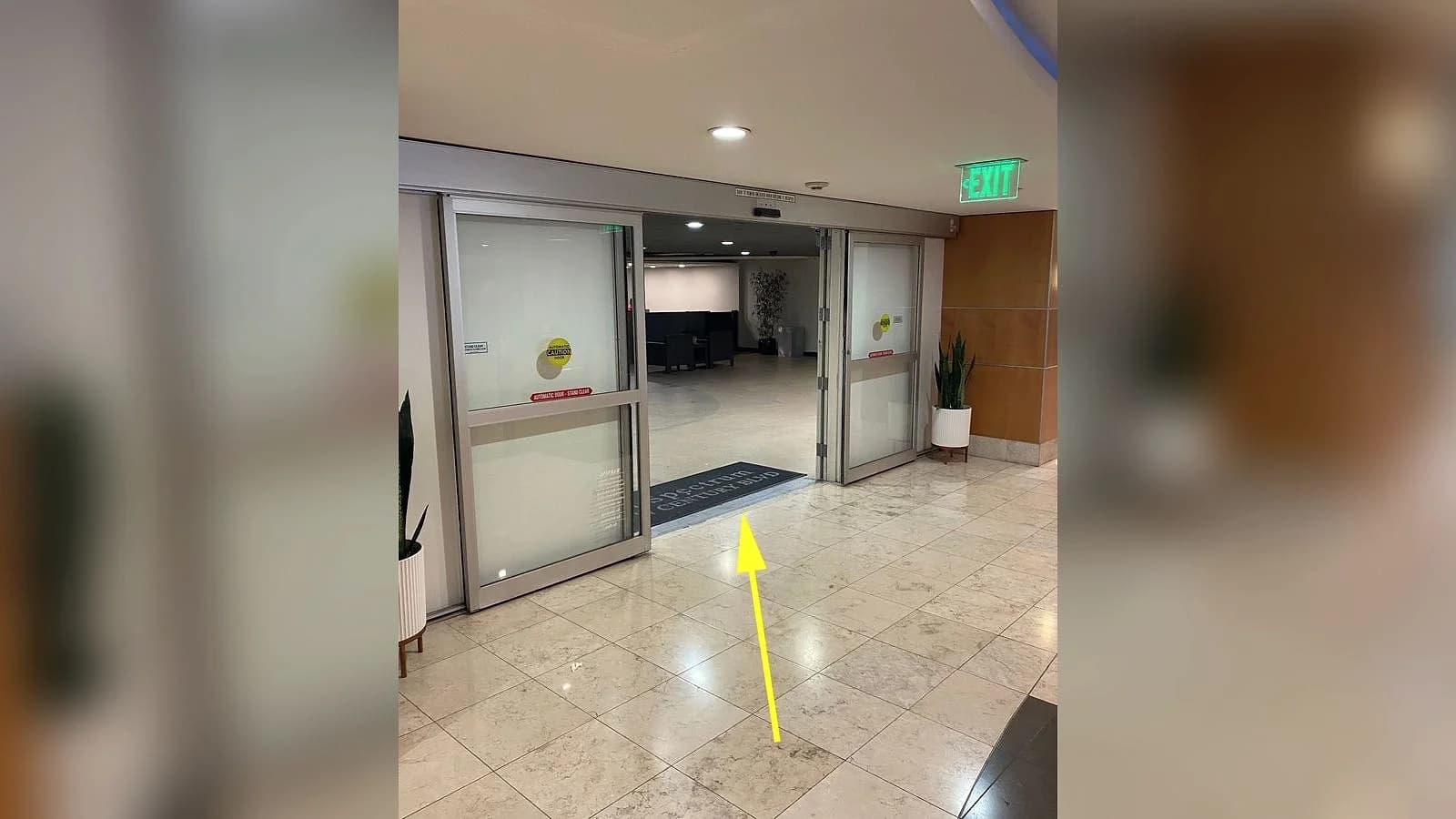
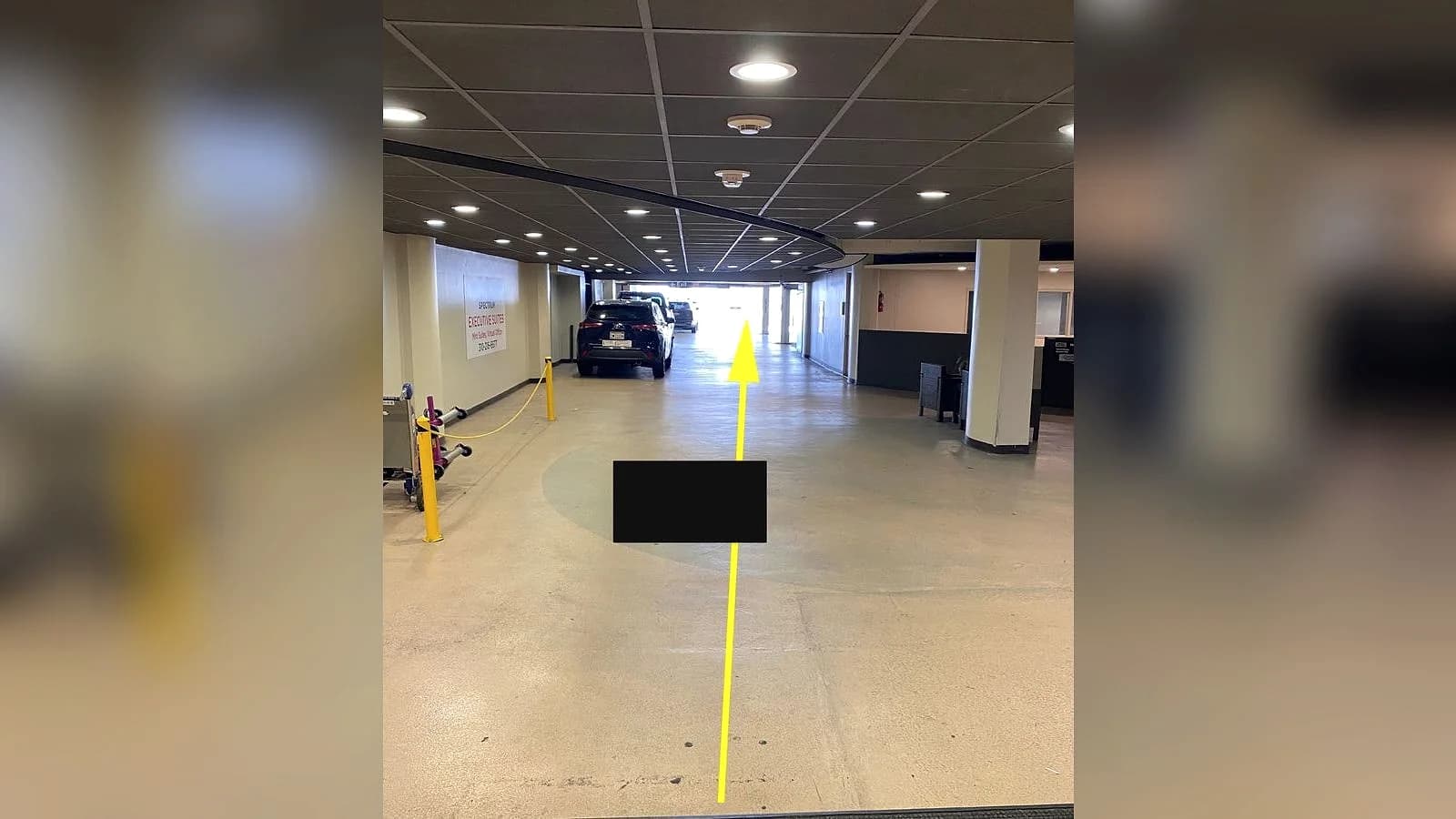
After collecting the key, follow the route shown in the photos to the parking area and look for your vehicle in the designated Reach Rental parking spaces. Verify the vehicle model, license plate, and photos provided by customer service before getting in.
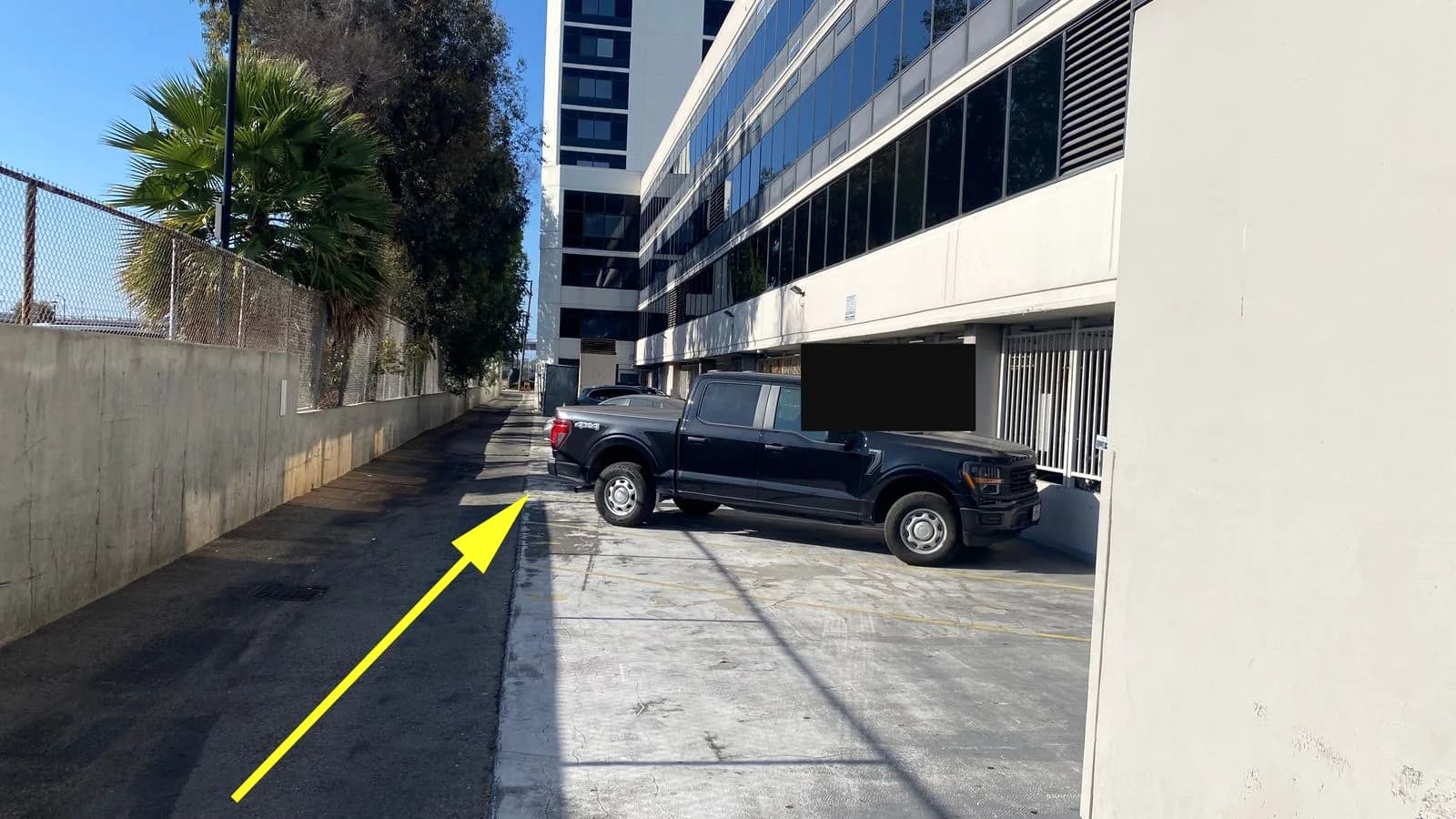
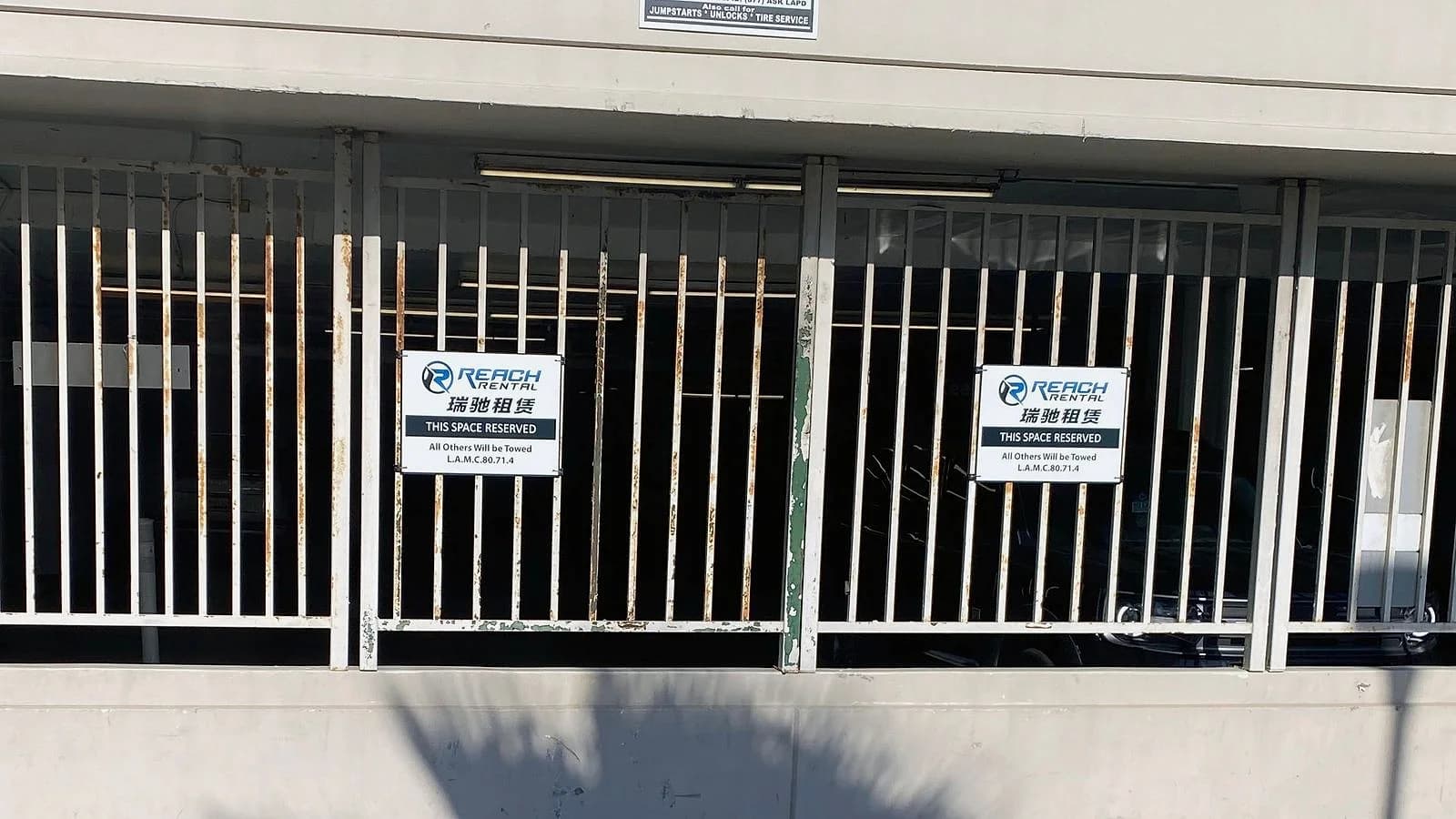
Drive Straight Down the Alley and Exit onto Century Blvd
After locating and confirming your vehicle, follow the direction shown in the photo and drive straight down the alley. Exit onto Century Blvd to begin your trip.
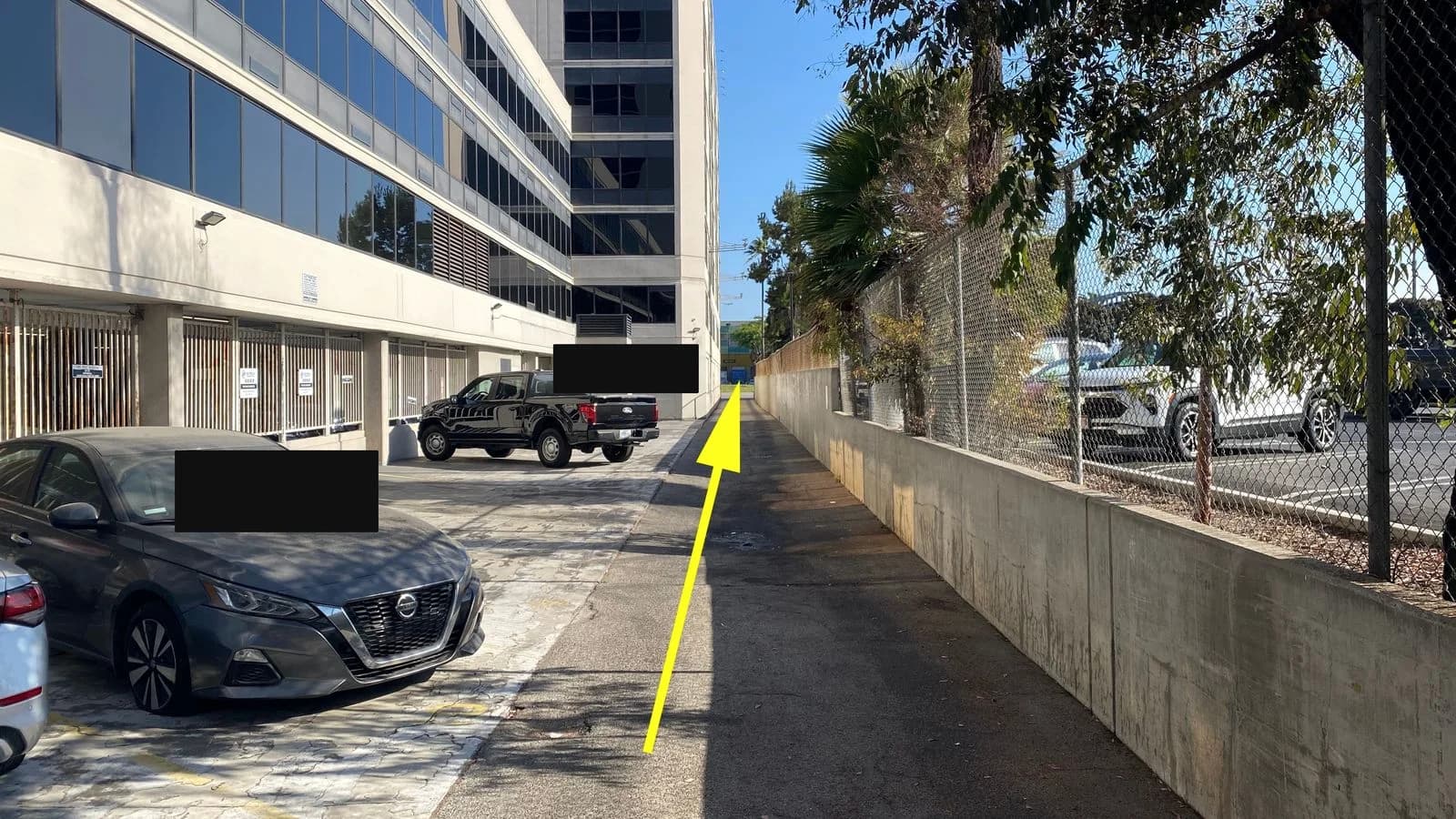
Need Help?
If you have trouble finding the lockbox, collecting the correct key, locating your vehicle, or exiting the parking area, contact Reach Rental for assistance.
+1-626-371-7777 · WhatsApp: +16263717777